
Download SizzlingKeys – Free Mac Hot‑Key Remote for iTunes
Overview
SizzlingKeys is a lightweight, free Mac utility that lets you control iTunes with global hot keys. Developed by Yellowmug and first added to our catalog in 2006, the app has amassed over 2,600 downloads and remains especially popular in the Russian Federation. The current version, 3.3.4, was refreshed on June 26 2009 and runs on Mac OS X as well as earlier Mac operating systems. Although the interface is simple, SizzlingKeys packs enough power to let you play, pause, skip tracks, adjust volume, and even rate songs without ever leaving your desktop or opening iTunes. The software is distributed in English only, but its intuitive key‑binding system transcends language barriers, making it a handy tool for anyone who wants a faster, more ergonomic iTunes experience.
Because it’s a “customize your Mac” accessory, SizzlingKeys integrates directly with the system’s event handling, ensuring that the hot‑key commands work no matter which application you have in the foreground. This means you can keep working in Photoshop, browsing the web, or writing an email while still controlling your music library. The program’s small footprint (far less than the average app in the same category) means it won’t clutter your hard drive or slow down your Mac. Whether you’re a casual listener, a DJ, or a power user who needs precise music control during presentations, SizzlingKeys offers a free, secure way to streamline iTunes navigation.
Key Features
- Global hot‑key support for Play/Pause, Next/Previous track, Volume Up/Down, and Mute.
- Customizable key bindings allow you to assign any unused combination that fits your workflow.
- Star‑rating shortcuts – quickly assign half‑star or full‑star ratings without opening iTunes.
- Lightweight design consumes minimal RAM and storage, leaving the rest of your system free for other tasks.
- Automatic detection of iTunes windows, ensuring commands are always sent to the correct instance.
- Support for Mac OS X and earlier versions, making it compatible with a broad range of Apple hardware.
- English‑only interface, but all controls are accessible via keyboard, reducing language dependency.
Beyond the basic playback controls, SizzlingKeys introduces a nuanced rating system that mirrors iTunes’s own half‑star display. This feature, added in the latest update, lets you fine‑tune your library’s organization without breaking your concentration. The customizable hot‑key matrix means you can map commands to any combination of modifier keys (⌘, ⌥, ⇧, ⌃) plus a regular key, giving you the flexibility to avoid conflicts with existing shortcuts in other applications.
Another subtle yet powerful aspect is the app’s ability to stay out of the way. Once launched, SizzlingKeys lives in the menu bar, offering quick access to its preferences and an option to enable or disable the hot‑key listener. The menu‑bar icon changes colour to indicate active status, providing visual feedback without cluttering your screen. This design philosophy aligns with modern Mac usability standards, ensuring that the tool feels native rather than an afterthought.
Installation, Usage & Compatibility
Installation Steps
- Download the SizzlingKeys.dmg file from the official Yellowmug website or a trusted Mac software repository.
- Open the DMG and drag the SizzlingKeys icon into your
/Applicationsfolder. - Launch the app; macOS may prompt you to confirm that you want to open an application downloaded from the internet.
- When prompted, allow SizzlingKeys to control your computer in System Preferences → Security & Privacy → Accessibility. This permission is required for global hot‑key functionality.
- After granting permission, the app will appear in the menu bar. Click the icon to open the preferences window where you can customize key bindings.
How to Use SizzlingKeys
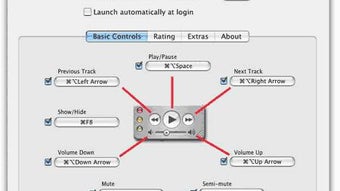
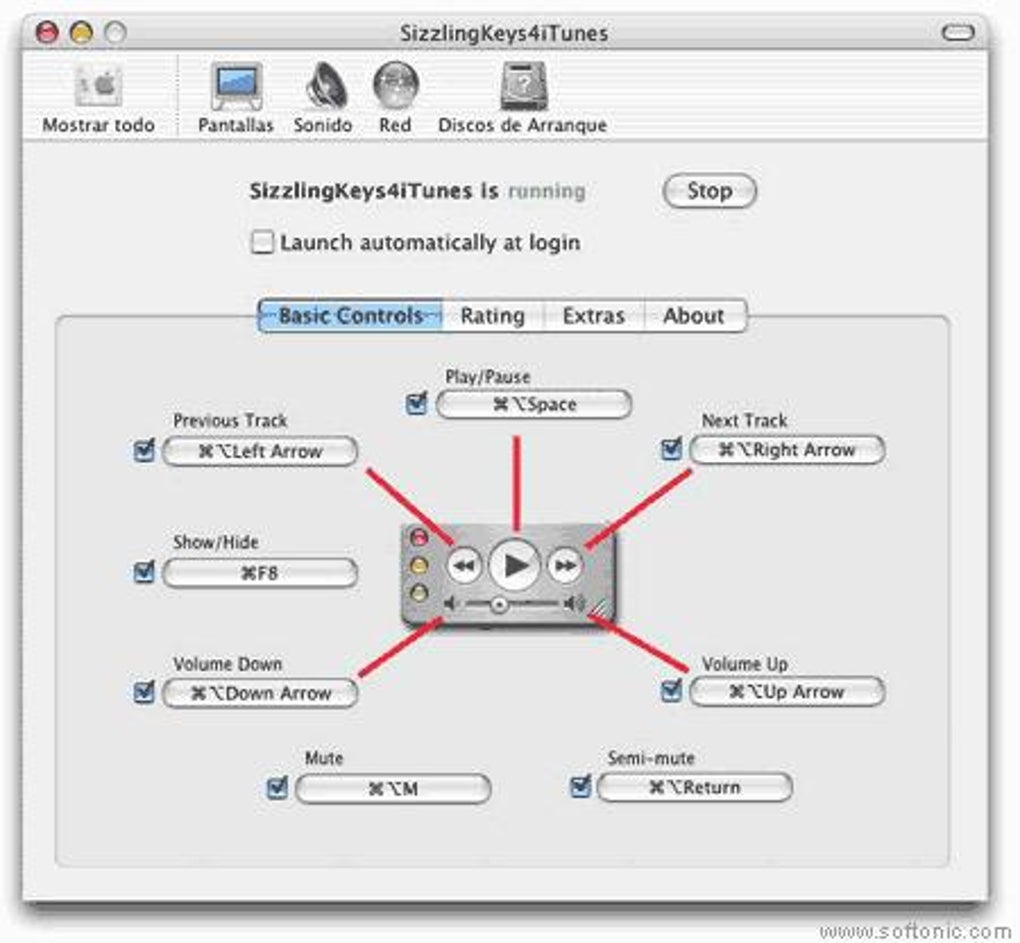
Once installed, SizzlingKeys works silently in the background. By default, the following keys are assigned:
Space– Play/Pause⌘ ←– Previous track⌘ →– Next track⌥ ↑– Volume up⌥ ↓– Volume down⌃ 0‑5– Assign 0‑5 star rating (half‑star enabled in version 3.3.4)
You can modify any of these shortcuts by selecting “Preferences” from the menu‑bar icon, clicking a command, and pressing the new key combination you prefer. The changes take effect immediately, without needing to restart iTunes or the Mac.
Compatibility
SizzlingKeys is compatible with macOS 10.2 (Jaguar) through macOS 10.6 (Snow Leopard) and newer versions, provided you have iTunes installed. The app does not run on iOS, Android, or Windows platforms, as it relies on macOS’s native event handling and iTunes integration.
Because the software is built for the classic Mac environment, it runs efficiently on older hardware such as PowerPC‑based Macs, though modern Intel‑based Macs will provide a smoother experience. Users with the latest macOS releases may need to adjust Security & Privacy settings to allow the app’s accessibility permissions, a standard requirement for utilities that intercept global keyboard events.
Pros, Cons & Frequently Asked Questions
Pros
- Free and lightweight: No cost and minimal system resource usage.
- Global hot‑key control: Works across all applications without needing iTunes in focus.
- Customizable shortcuts: Tailor key combinations to avoid conflicts.
- Half‑star rating support: Fine‑tune your music library directly from the keyboard.
- Simple installation: Only a drag‑and‑drop into the Applications folder.
Cons
- Only available for macOS; no Windows or Linux version.
- English‑only interface may be confusing for non‑English speakers.
- Last official update was in 2009, so compatibility with the very latest macOS releases may require manual permission tweaks.
- No built‑in visual indicator for the current track; you must still look at iTunes.
FAQ
Can SizzlingKeys control iTunes on macOS Catalina or later?
Yes, SizzlingKeys works on macOS Catalina and later as long as you grant the app Accessibility permissions. Because iTunes was replaced by the Music app in macOS Catalina, you’ll need to point the preferences to the new Music app manually.
Is it safe to download SizzlingKeys from third‑party sites?
We recommend downloading directly from Yellowmug’s official site or a reputable Mac software repository. The app is free and open‑source, but downloading from unknown sources could expose you to altered versions.
Can I assign my own hot keys for actions not listed by default?
Absolutely. The Preferences window lets you add new commands and bind them to any unused key combination, including custom scripts if you’re comfortable with advanced configuration.
Does SizzlingKeys consume a lot of RAM or CPU?
No. The utility runs as a background agent using less than 10 MB of RAM and negligible CPU cycles, even when constantly listening for hot‑key events.
Will SizzlingKeys interfere with other keyboard shortcut apps?
It can if you assign overlapping key combinations. The app includes a conflict detection alert that warns you when a new shortcut clashes with existing system or application shortcuts.
Conclusion & Call to Action
Overall, SizzlingKeys remains a solid, free solution for anyone who wants fast, keyboard‑driven control over iTunes (or the Music app) on macOS. Its minimalist footprint, global hot‑key capability, and support for half‑star ratings make it especially attractive for power users and music enthusiasts who value speed and simplicity. While the lack of recent updates and English‑only interface may be limiting for some, the core functionality is still relevant and works well on most Mac systems.
If you’re ready to streamline your iTunes workflow, download SizzlingKeys now and enjoy seamless music control without ever leaving your current task. Remember to grant the necessary Accessibility permissions, customize the shortcuts to match your personal workflow, and you’ll wonder how you ever managed without this handy remote‑control app.







